How do I know who has seen my group proposal and who has booked?
1Open the group proposal (private group or open departure) and go to the «Guests» tab.
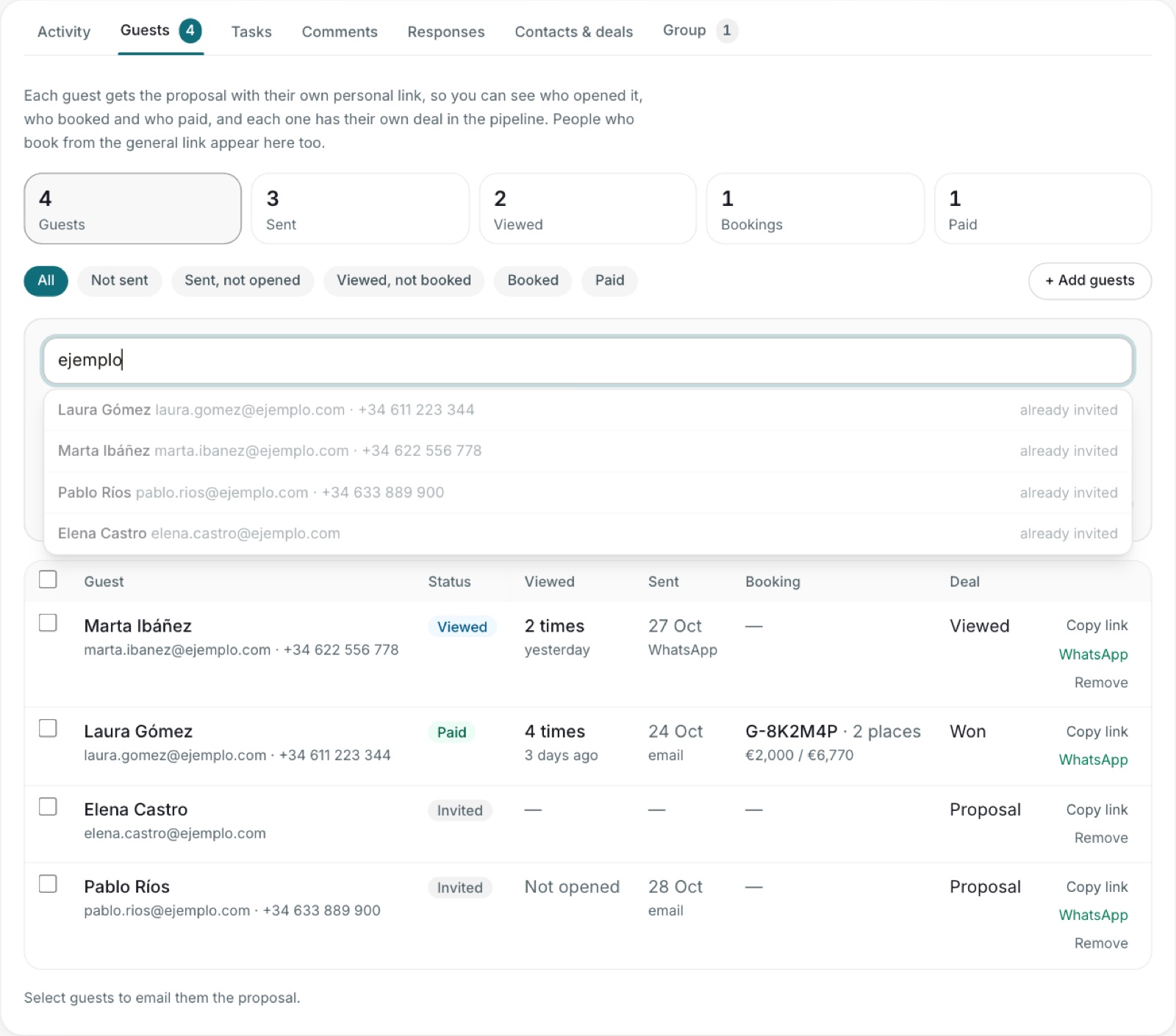
2Click «Add guests» and search contacts by name, email or phone, or choose a whole tag. Keep «Create a deal for each guest» ticked to follow each person in the pipeline.
3Select guests and click «Send by email»: each one gets the proposal with their own personal link. You can also copy their link or send it by WhatsApp. Adding guests doesn't send anything: the email only goes out when you send it.
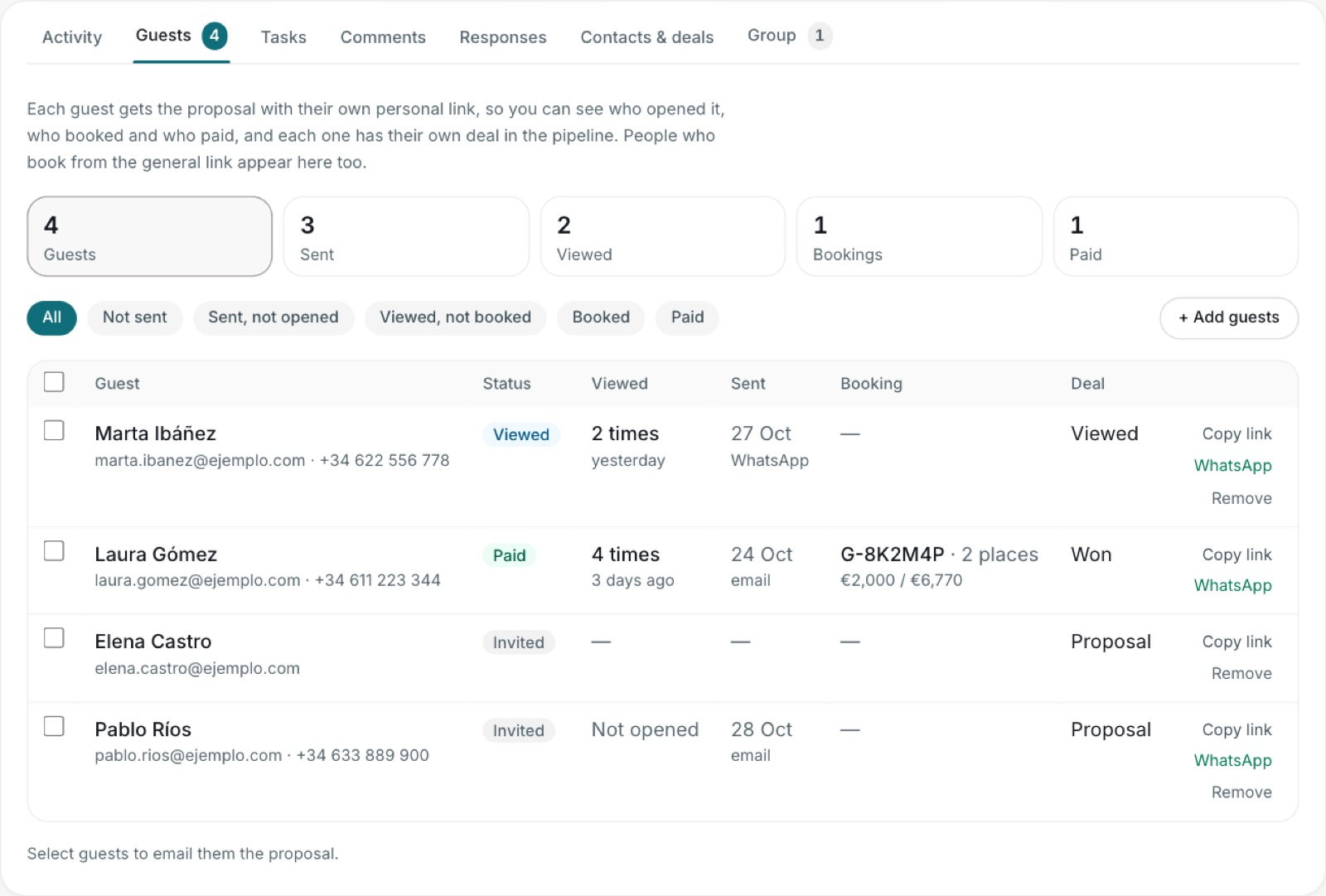
4The table shows, for each person, whether they opened it (how many times and when), whether they booked, how much they've paid and the stage of their deal. Use the filters, for example «Viewed, not booked», to follow up.
5When someone books, they're linked automatically: the proposal shows on their contact page, their request is created and their deal moves to «Negotiation»; when they pay, to «Won». People who book from the general link also appear in the list. If someone books for several people, there's a single deal (the payer's) and their companions show as «Booked».
6With their personal link, the booking form is already filled in with their details. From the general link it starts empty.
Guests tab: who has seen it, who has booked and paid, and their deal.Add guests: search contacts by name, email or phone.