An automation lets the CRM work on its own: you choose WHEN it triggers and WHAT happens next, as an ordered list of steps. You can start from a one-click «recipe» or build it from scratch under «Automations».
- 1Go to «Automations». At the top you have ready-made «Recipes» (round-robin leads, follow a viewed proposal after 7 days, follow up after 3 days with no reply): click one to open it pre-filled, or «New automation» to start from scratch.
- 2Choose the TRIGGER: a lead comes in · a proposal is accepted · a deal changes stage · a deal has been N days in a stage (new) · a contact has been N days inactive.
- 3Refine it with conditions («and only if…», requiring ALL or ANY): by source, campaign, tag, stage, contact segment (Not worked/In progress/Client/Lost), whether it already has a pending task with a certain title, the proposal title, or numeric values like the deal value or days in stage (with operators >, <, ≥, ≤).
- 4Add actions in order: assign/route an advisor, send an email, create a task (with notes), add or remove a tag, move the deal to another stage, add a note or call a webhook.
- 5Interleave control steps: «Wait» X days or hours, and «Condition» (continue only if…; if it isn't met, the automation ends there for that contact).
- 6Save (it warns you if something is incomplete) and switch it on.
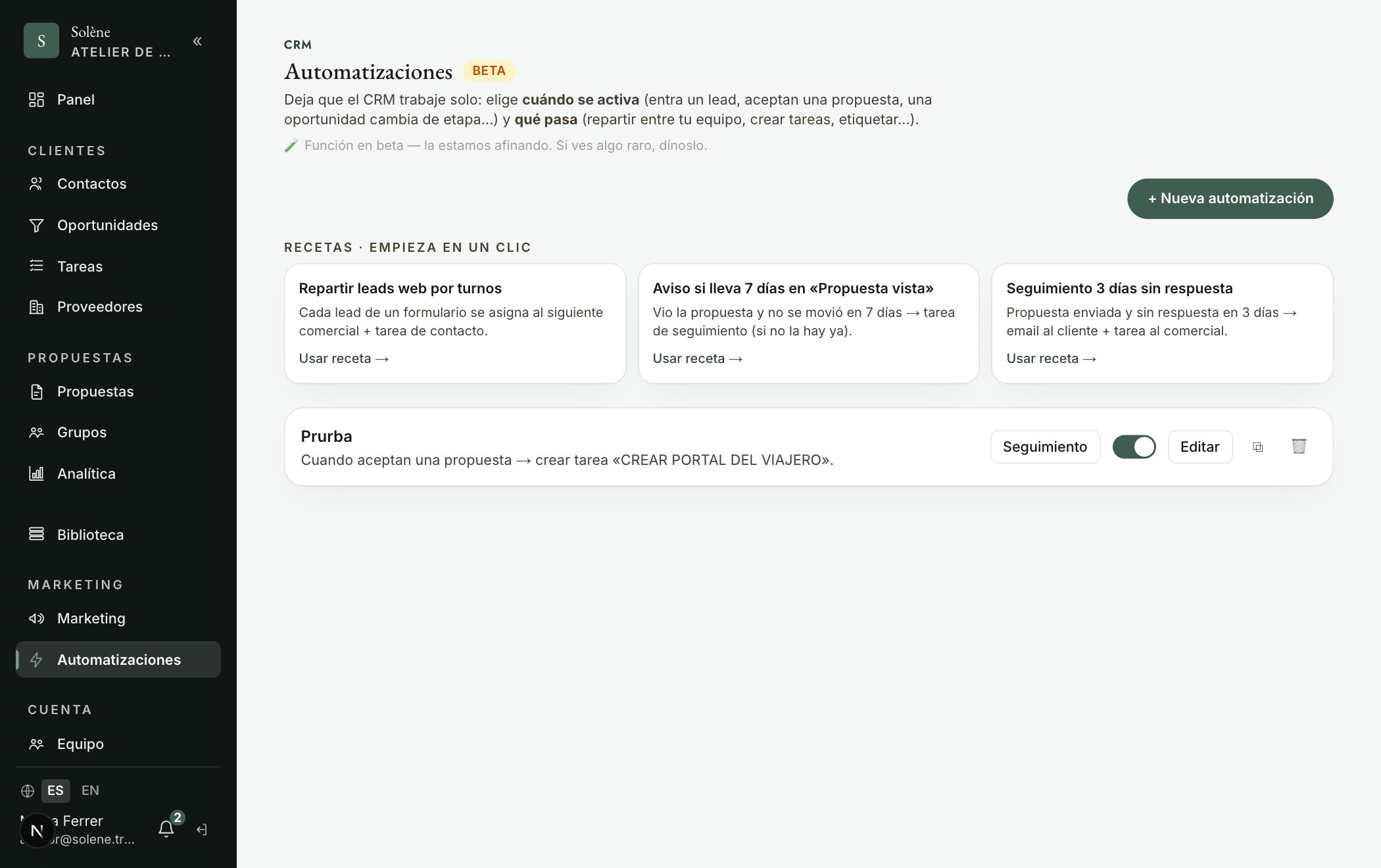
Consejo: Your typical example is already a recipe: «A deal has been 7 days in Proposal viewed → if it does NOT already have a «Follow proposal» task → create a call task + send an email». In the email, click a variable ({{cliente}}, {{destino}}, {{etapa}}…) to insert it and «Send test to me» to preview it. For time-based triggers, «Preview who's affected» tells you how many it would reach today.